2.4.11 Device Profiles
Certain DeckLink devices such as the DeckLink 8K Pro, the DeckLink Quad 2 and the DeckLink Duo 2 support multiple profiles to configure the capture and playback behavior of its sub-devices.
For the DeckLink Duo 2 and DeckLink Quad 2, a profile is shared between any 2 sub-devices that utilize the same connectors. For the DeckLink 8K Pro, a profile is shared between all 4 sub-devices. Any sub-devices that share a profile are considered to be part of the same profile group. To enumerate the sub-devices in a group, the IDeckLinkProfile::GetPeers() method should be used.
A change in profile is applied to all sub-devices in the group. The following is a list of items that are affected by a profile change:
Profile ID attribute
BMDDeckLinkProfileID.SDI link configuration attributes
BMDDeckLinkSupportsDualLinkSDIandBMDDeckLinkSupportsQuadLinkSDI.Supported Display Modes. An application should recheck the outputs of
IDeckLinkInput::DoesSupportVideoMode()andIDeckLinkOutput::DoesSupportVideoMode().Keying support attributes
BMDDeckLinkSupportsInternalKeyingandBMDDeckLinkSupportsExternalKeying.Sub-devices may change duplex mode or become inactive. An application can check the duplex mode with attribute
BMDDeckLinkDuplex.Other attributes accessible by the
IDeckLinkProfileAttributesobject interface.
The tables and illustrations below demonstrate the grouping of sub-devices and how the relationship to physical connectors varies with different profiles.
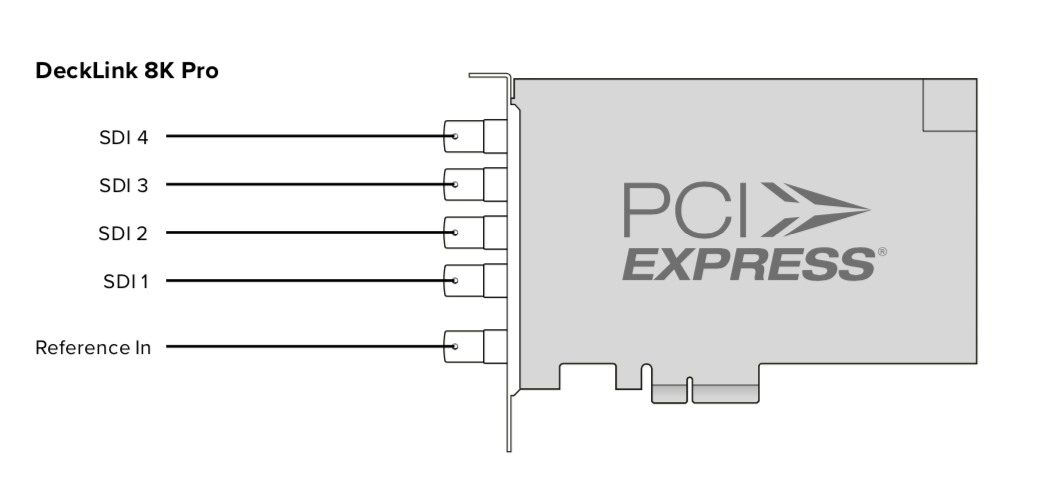
Sub-device
index
|
4 sub-devices profile
|
2 sub-devices profile
|
1 sub-device full-duplex profile
|
1 sub-device half-duplex profile
|
|---|---|---|---|---|
0 |
SDI 1 (in/out) |
SDI 1 (in/key)
SDI 2 (out/fill)
|
SDI 1 (CH-B in)
SDI 2 (CH-A in)
SDI 3 (CH-B out/key)
SDI 4 (CH-A out/fill)
|
SDI 1 (CH-D in/out)
SDI 2 (CH-C in/out)
SDI 3 (CH-B in/out/key)
SDI 4 (CH-A in/out/fill)
|
1 |
SDI 3 (in/out) |
SDI 3 (in/key)
SDI 4 (out/fill)
|
Inactive |
Inactive |
2 |
SDI 2 (in/out) |
Inactive |
Inactive |
Inactive |
3 |
SDI 4 (in/out) |
Inactive |
Inactive |
Inactive |
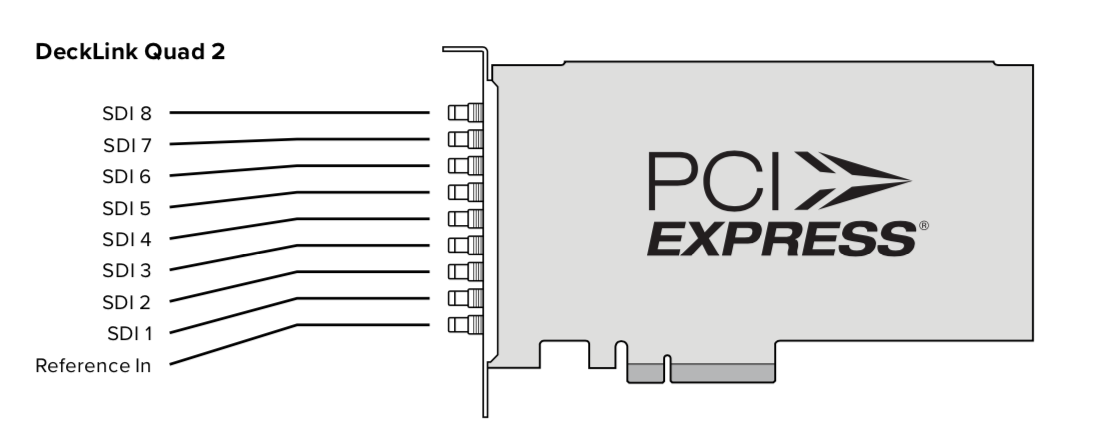
Sub-device
index
|
2 sub-devices profile
|
1 sub-device profile
|
|---|---|---|
0 |
SDI 1 |
SDI 1 (in/key) & SDI 2 (out/fill) |
1 |
SDI 3 |
SDI 3 (in/key) & SDI 4 (out/fill) |
2 |
SDI 5 |
SDI 5 (in/key) & SDI 6 (out/fill) |
3 |
SDI 7 |
SDI 7 (in/key) & SDI 8 (out/fill) |
4 |
SDI 2 |
Inactive |
5 |
SDI 4 |
Inactive |
6 |
SDI 6 |
Inactive |
7 |
SDI 8 |
Inactive |
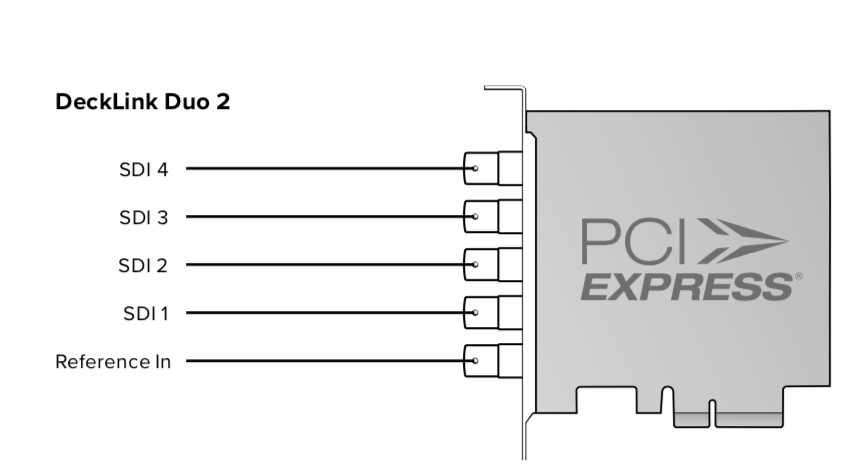
Sub-device
index
|
2 sub-devices profile
|
1 sub-device profile
|
|---|---|---|
0 |
SDI 1 |
SDI 1 (in/key) & SDI 2 (out/fill) |
1 |
SDI 3 |
SDI 3 (in/key) & SDI 4 (out/fill) |
2 |
SDI 2 |
Inactive |
3 |
SDI 4 |
Inactive |
2.4.11.1 Determine the current profile ID
An application can determine the current profile for an IDeckLink device by performing the following steps:
Call
IUnknown::QueryInterface()on theIDeckLinkobject with IID_DeckLinkProfileAttributes.Call
IDeckLinkProfileAttributes::GetInt()with identifierBMDDeckLinkProfileIDto obtain the ID of the current profile.
2.4.11.2 List the available profiles
An application can list the available profiles for an IDeckLink device by performing the following steps:
Obtain an
IDeckLinkProfileManagerinterface object by callingIUnknown::QueryInterface()on theIDeckLinkobject with IID_IDeckLinkProfileManager. If result is E_NOINTERFACE, then the DeckLink device has only one profile (the current profile).Obtain an
IDeckLinkProfileIteratorby callingIDeckLinkProfileManager::GetProfiles()and enumerate the supported profiles for the device by callingIDeckLinkProfileIterator::Next().
For each returned IDeckLinkProfile interface object:
Call
IUnknown::QueryInterface()on theIDeckLinkProfileobject with IID_DeckLinkProfileAttributes.Call
IDeckLinkProfileAttributes::GetInt()with identifierBMDDeckLinkProfileIDto obtain the profile ID.
2.4.11.3 Select a new profile
An application can select a new profile for an IDeckLink device by performing the following steps:
Obtain an
IDeckLinkProfileManagerinterface object by callingIUnknown::QueryInterface()on theIDeckLinkobject with IID_IDeckLinkProfileManager.Obtain an
IDeckLinkProfileinterface object by callingIDeckLinkProfileManager::GetProfile()with the requiredBMDProfileID.Activate the required profile with
IDeckLinkProfile::SetActive().
2.4.11.4 Handle a profile change notification
A callback can be provided to an application when a profile is changed. If the application does not implement a profile callback, the running streams may be halted unprompted by the driver if the profile changes.
An application that supports profile changing notification should perform the following steps:
Create a callback class that subclasses from
IDeckLinkProfileCallbackand implement all of its methods. The callback calls will be called asynchronously from an API private thread.Obtain an
IDeckLinkProfileManagerinterface object by callingIUnknown::QueryInterface()on theIDeckLinkobject with IID_IDeckLinkProfileManager.Install the callback by calling
IDeckLinkProfileManager::SetCallback()and referencing yourIDeckLinkProfileCallbackobject.
During profile change:
Receive call to
IDeckLinkProfileCallback::ProfileChanging(), stop any active streams if required as determined by the streamsWillBeForcedToStop argument.Receive call to
IDeckLinkProfileCallback::ProfileActivated(), when the new profile is active. The application should rescan any attributes and display modes for the new profile.
Note
Profile change callbacks will occur if another application has changed the active profile of the device.